Features

Insights and Analysis

Live revenue, expenses, and VAT metrics surfaced from myData. AI models highlight trends, anomalies, and opportunities without manual reporting cycles.

Insights and Analysis — product view
Insights and Analysis — detail view

Insights & Analysis

Ask anything about your financial data

TaxLayer connects every dimension of your business — revenue, expenses, tax, balances, customers, and suppliers — into one queryable model. Ask questions in plain language and get answers in seconds.

Live KPI Dashboards

Watch your business in real time, not at month-end

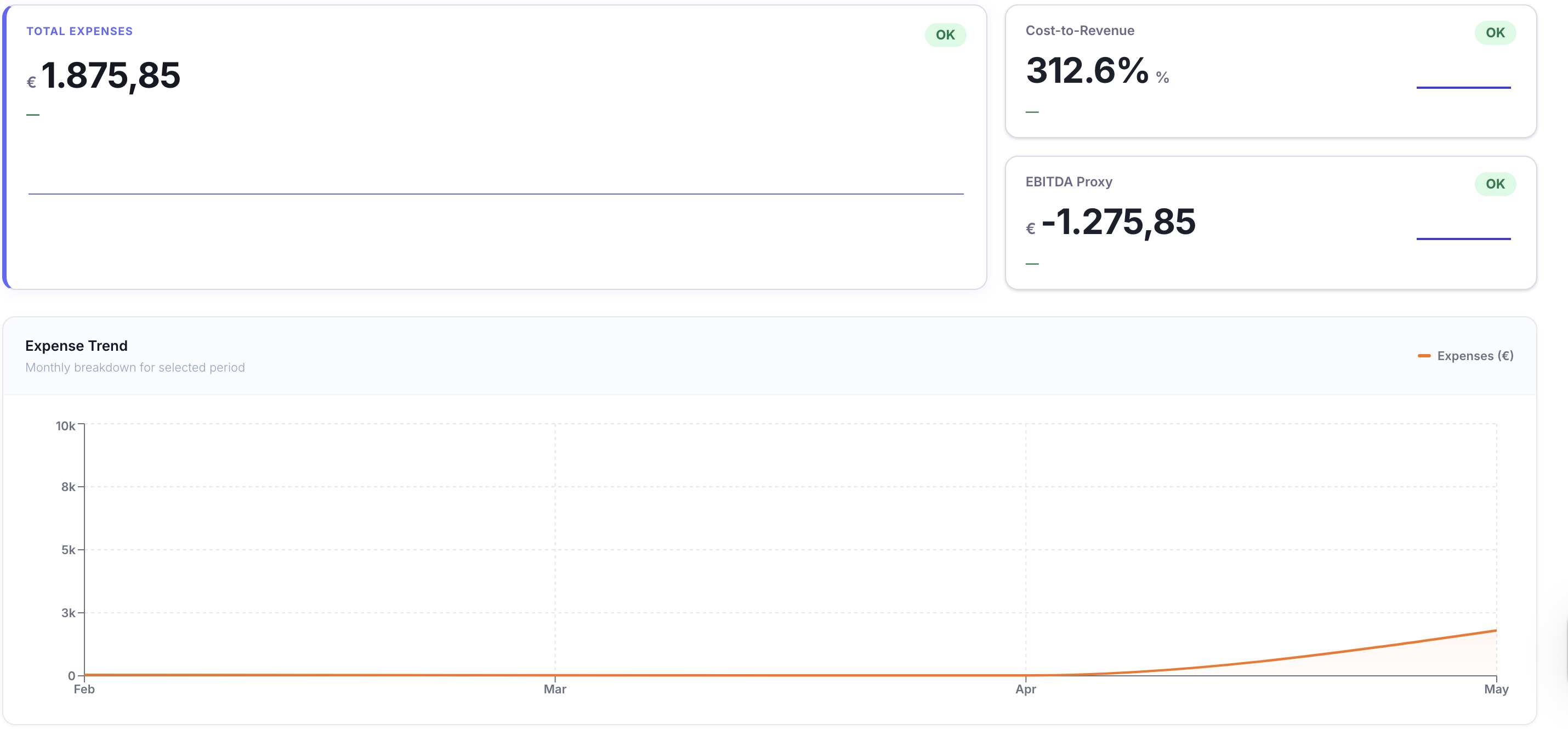
Live revenue, expenses, customer concentration, cost-to-revenue and net VAT position — refreshed the moment a document lands. Open any KPI and drill into the numbers behind it: top customers, top suppliers, monthly trend, the exact transactions feeding the line. No more waiting for the management pack.

Watch Video
Live KPI Dashboards visual

Ask AI on Real Numbers

Ask any question of your numbers — get answers backed by myDATA

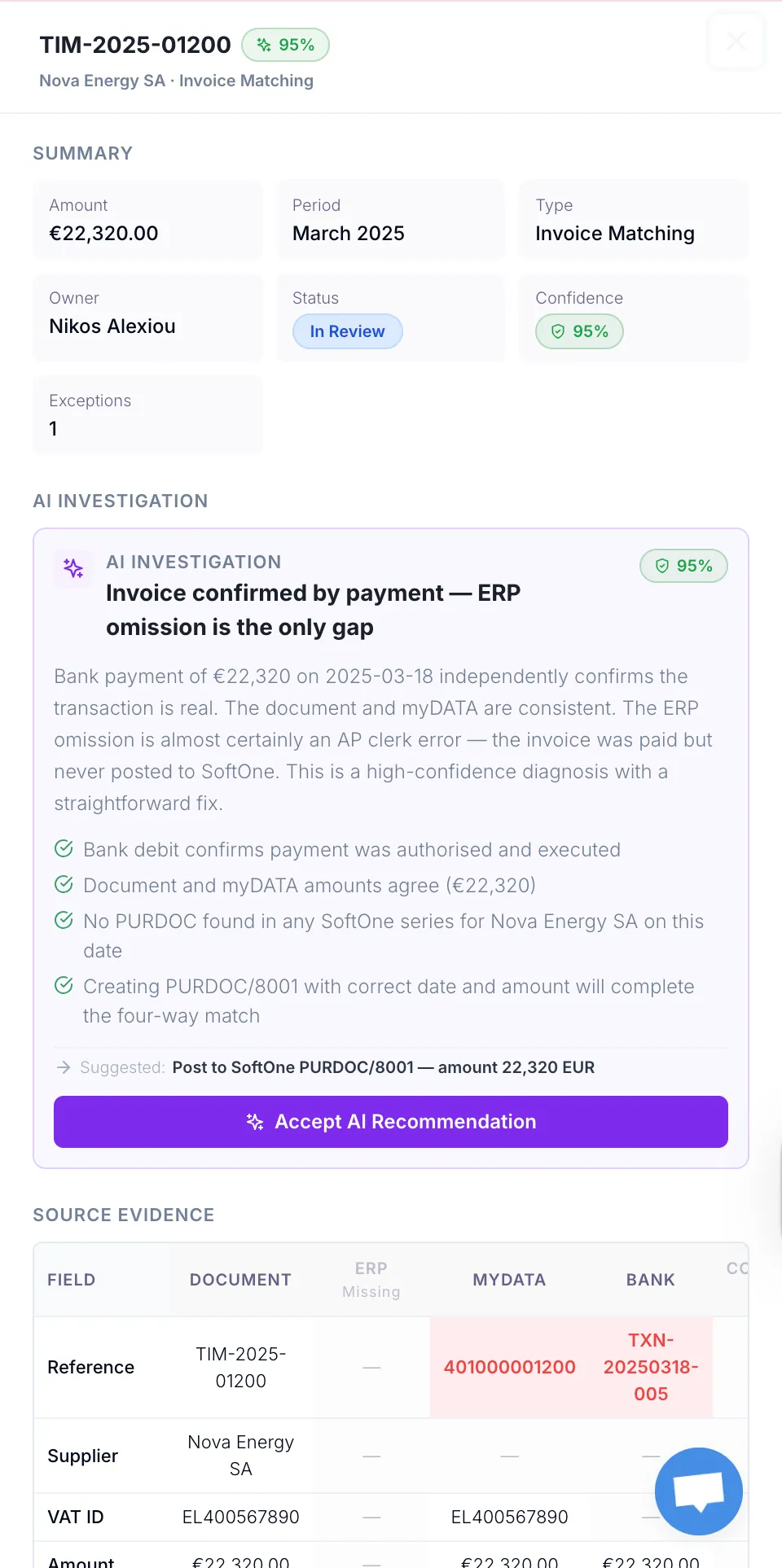
Open any metric, ask in plain language — Greek or English — and TaxLayer’s AI answers using your actual myDATA records. “Why did expenses spike in March?” “Who’s our biggest customer this quarter?” “What drove the VAT change?” Real answers with the underlying transactions attached, not generic chatbot guesses.

Watch Video
Ask AI on Real Numbers visual

Reconciliation Co-pilot

One table for every case that needs your attention

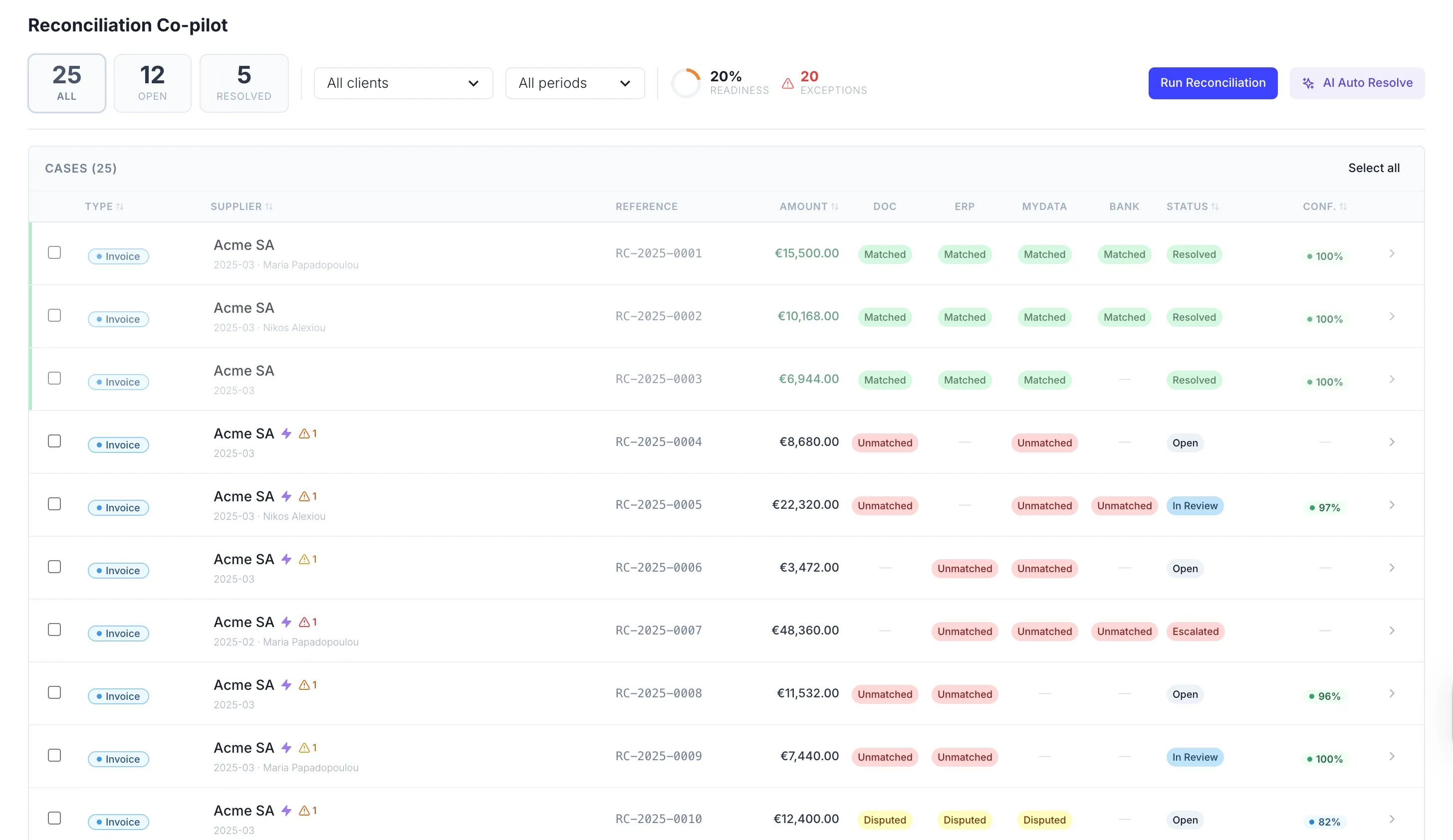
All your reconciliation exceptions in a single tabular workspace — open, matched, closed and disputed cases side by side, filterable by client, period or severity. Each row arrives with an AI-suggested fix and a readiness score, so you triage in clicks instead of digging through tabs. Resolve at scale with the full audit trail intact.

Watch Video
Reconciliation Co-pilot visual

Frequently asked questions

What KPIs do I get out of the box?

Revenue, expenses, customer concentration, cost-to-revenue, EBITDA proxy, output VAT, input VAT and net VAT position — for your own books or for any client. Each KPI drills down into top customers, top suppliers, monthly trends and the transactions feeding the line.

Where do the numbers come from?

Live from your AADE myDATA records, your ERP and your reconciled ledger — never reconstructed or estimated. Every figure on every dashboard traces back to the source document that produced it.

How real-time is the dashboard really?

As soon as a document is captured, classified and posted, the dashboard reflects it. No batch jobs, no nightly refresh, no “as of yesterday”. You see where the business stands right now.

Will the AI make things up?

No. Every answer is anchored to your actual myDATA records, with the underlying transactions visible. If TaxLayer can’t find evidence in your data, it tells you — instead of guessing.

Can I ask questions in Greek?

Yes. The AI works fluently in Greek and English, switches mid-conversation, and answers in whichever language you asked in. Greek number formats, AADE terminology and Greek tax concepts are first-class.

Can my clients see their own dashboards?

Yes. Each client contact you invite gets a private portal showing only their own Money In, Money Out and VAT — alongside any reports you’ve published. They never see your other clients or your firm’s internals.

What does the reconciliation co-pilot actually do?

Surfaces every exception across your books, ERP, bank and AADE myDATA in one tabular workspace. Each row arrives with an AI-suggested fix, a readiness score and the evidence trail behind it — so your team triages and resolves cases instead of hunting them down.

Can I build my own KPIs or views?

Yes. Save any filter, comparison or breakdown as a custom view, share it with the team, and watch it stay current automatically as new data lands. Use plain language to ask the AI to build a view for you, then save it once and reopen it forever.

#1 Productivity Hack

Say goodbye to the tedious back office tasks of manual documents gathering.